
Local Backups, Auto-Save & Data Export
Because Cubix Lite POS is an offline-first terminal, your business data resides locally in browser IndexedDB. To ensure 100% data safety, multiple backup layers are built into the system.
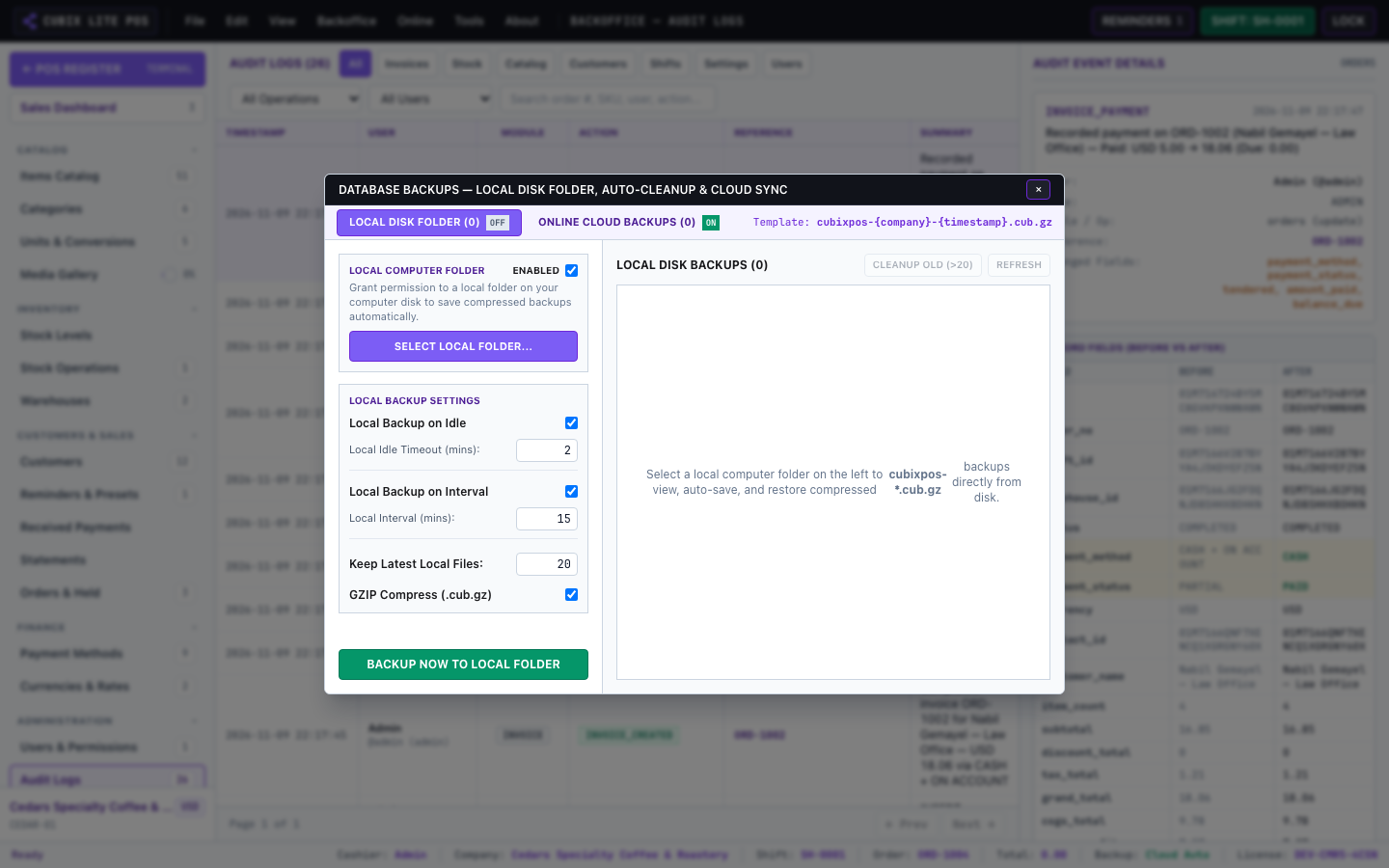
1. Automated Hourly Snapshots
Section titled “1. Automated Hourly Snapshots”- When enabled, Cubix POS automatically creates compressed
.cub.gzbackup snapshots at periodic intervals or on shift close. - Old snapshots are retained locally according to your retention policy (e.g. keep last 10 snapshots).
2. Manual Backup & Download
Section titled “2. Manual Backup & Download”- Go to About > Backups & Data.
- Click Download Backup (.cub.gz) to save a timestamped encrypted copy to your computer or USB drive.
- This backup contains the full database: companies, catalog items, customers, orders, shifts, and stock ledger.
3. Restoring on a New Terminal
Section titled “3. Restoring on a New Terminal”To migrate or restore your data on a new computer or tablet:
- Open Cubix POS on the new device.
- Open Backups & Data > Restore from File.
- Select your
.cub.gzbackup file and confirm. - Your complete POS state is restored in seconds!