
Company Profile & Multi-Currency Setup
Cubix Lite POS provides comprehensive multi-currency support, ideal for economies operating with dual or fluctuating currencies (such as USD and Lebanese Pound LBP, EUR, GBP, AED, etc.).
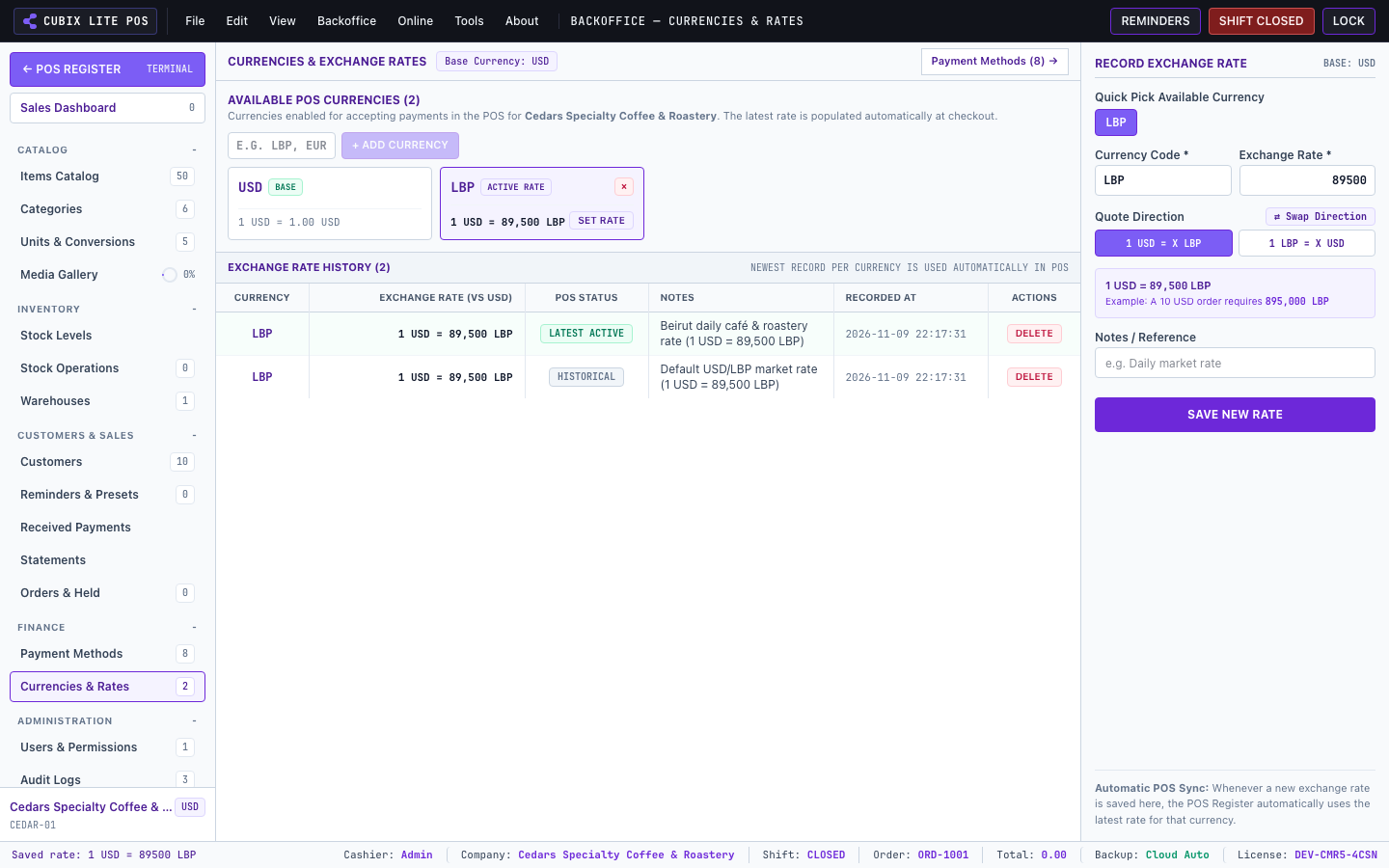
1. Setting Base and Secondary Currencies
Section titled “1. Setting Base and Secondary Currencies”- Go to Backoffice > Currencies & Rates.
- Select your Primary Base Currency (e.g.
USD). All catalog prices, inventory valuations, and financial summaries reference this base currency. - Add one or more Secondary Currencies (e.g.
LBPorEUR) and define the active exchange rate (e.g.1 USD = 89,500 LBP). - You can update this exchange rate at any time without altering historical completed invoices.
2. Payment Methods & Tenders
Section titled “2. Payment Methods & Tenders”Configure which payment methods are accepted at checkout:
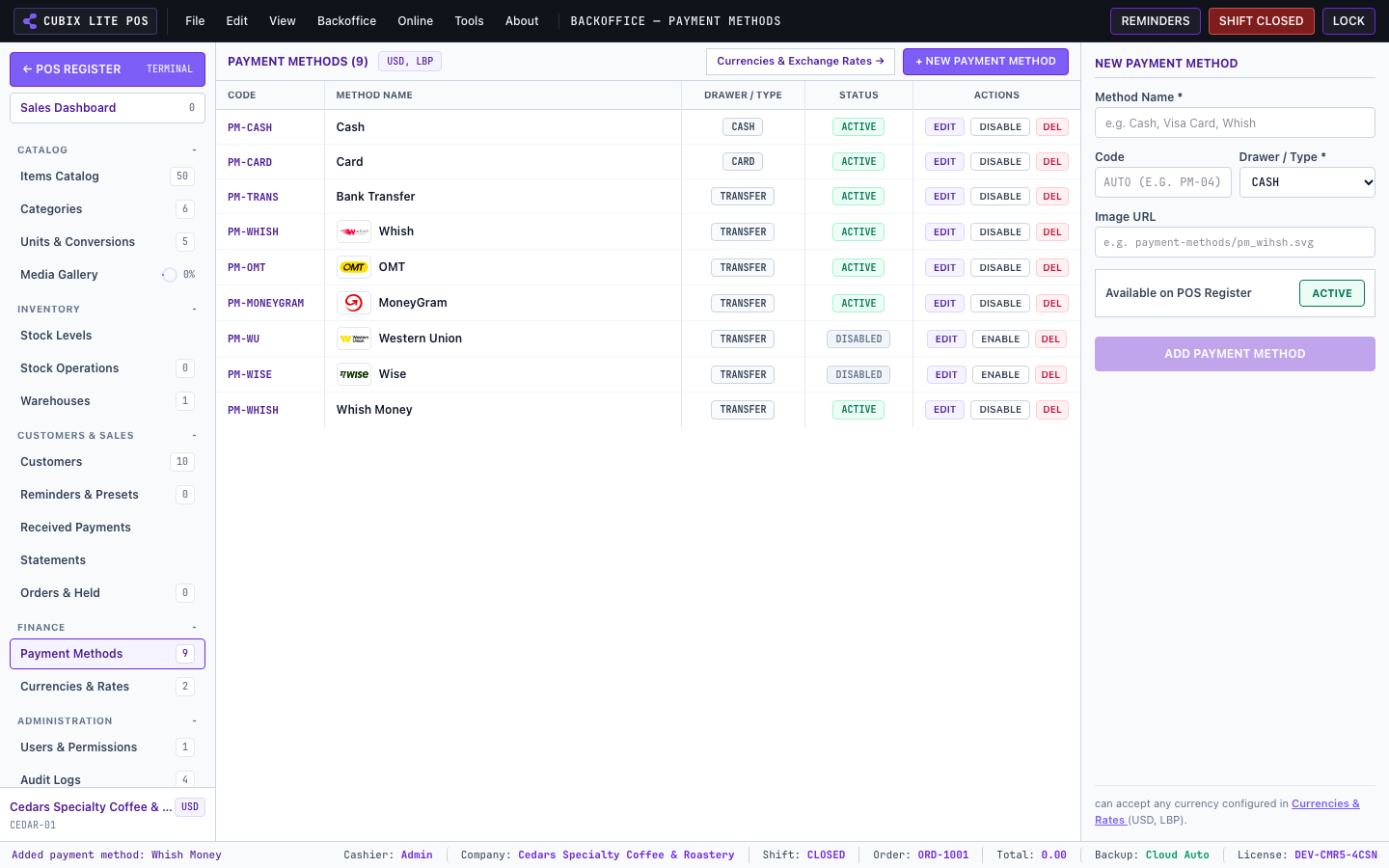
- Cash: Supports multi-currency cash drawer reconciliation.
- Credit / Debit Cards: POS terminals, Visa, MasterCard.
- On-Account (Customer Credit): Sell to registered clients with credit limits and track customer balances.
- Cheques & Bank Transfers: Custom ledger notes and reference IDs.