
Keyboard Shortcuts & Built-in Utilities
Cubix Lite POS is optimized for maximum checkout speed. You can operate the entire sales workflow without ever touching a mouse.
1. Quick Keyboard Shortcuts
Section titled “1. Quick Keyboard Shortcuts”| Shortcut | Action | Description |
|---|---|---|
| F2 | Lock Screen | Instantly lock the terminal with PIN security protection |
| F3 | Touch View | Switch to the visual touch tiles catalog |
| F4 | Table Grid View | Switch to barcode scanning grid table |
| F5 | Hold Order | Park current sale and start a new cart for another customer |
| F6 | Orders List | Retrieve parked orders or inspect completed invoices |
| F7 | Select Customer | Open customer picker dialog |
| F8 | Quick Tools Hub | Open cash counters, banknote checkers, and converters |
| F9 | Clear Order | Reset active cart lines |
| F12 | Pay / Tender | Open split-tender payment window |
2. Terminal PIN Security Lock
Section titled “2. Terminal PIN Security Lock”Press F2 to lock your POS terminal whenever stepping away:
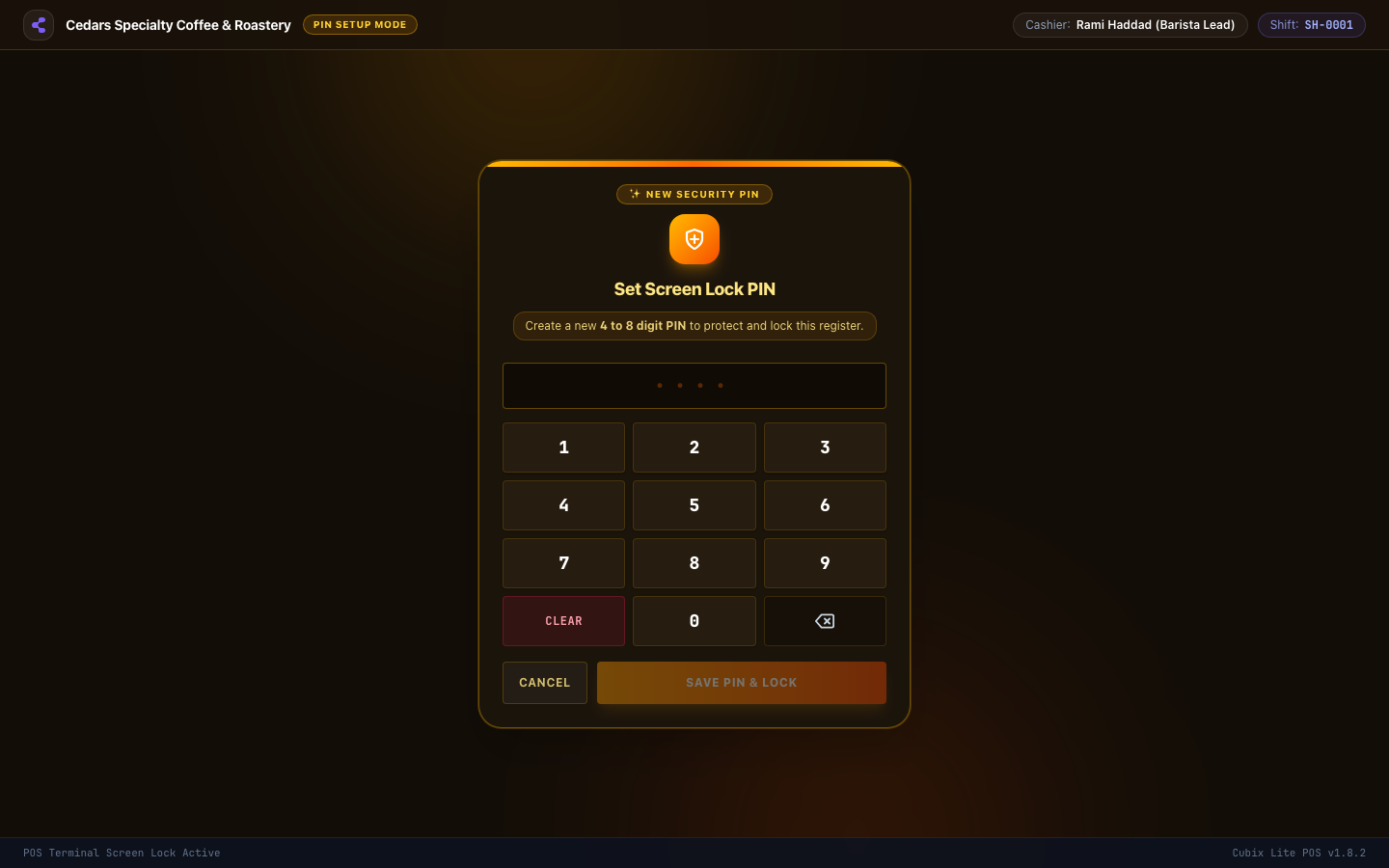
Cashiers must enter their assigned numeric PIN or swipe their manager card to resume selling.
3. Built-in Cashier Tools Hub
Section titled “3. Built-in Cashier Tools Hub”Press F8 or click the Tools icon to access cashier utilities:
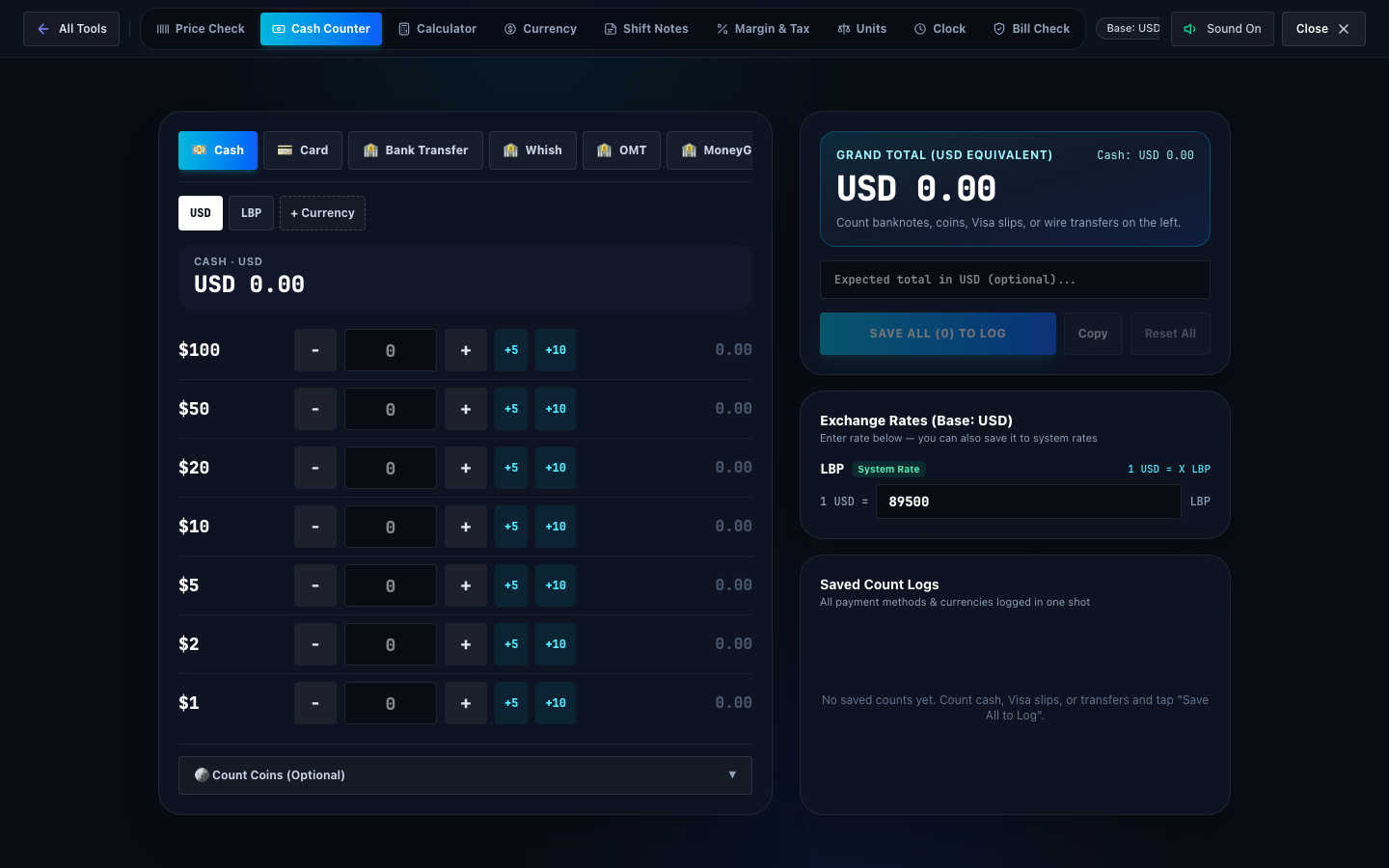
- Cash Till Counter: Rapidly tally paper banknotes and coins.
- Dual Currency Converter: Instant rate calculations between USD, LBP, and EUR.
- Banknote Verifier: Visual guide for inspecting security threads and watermarks.