POS Register & Order Checkout
The POS Register is the heart of Cubix Lite POS. It offers two dynamic selling interfaces: Touch View for quick-touch environments (cafes, bakeries, bars) and Table Grid View for high-volume barcode scanning (supermarkets, retail shops).
1. Touch View Interface
Section titled “1. Touch View Interface”Press F3 or click the view toggle to enter Touch View:
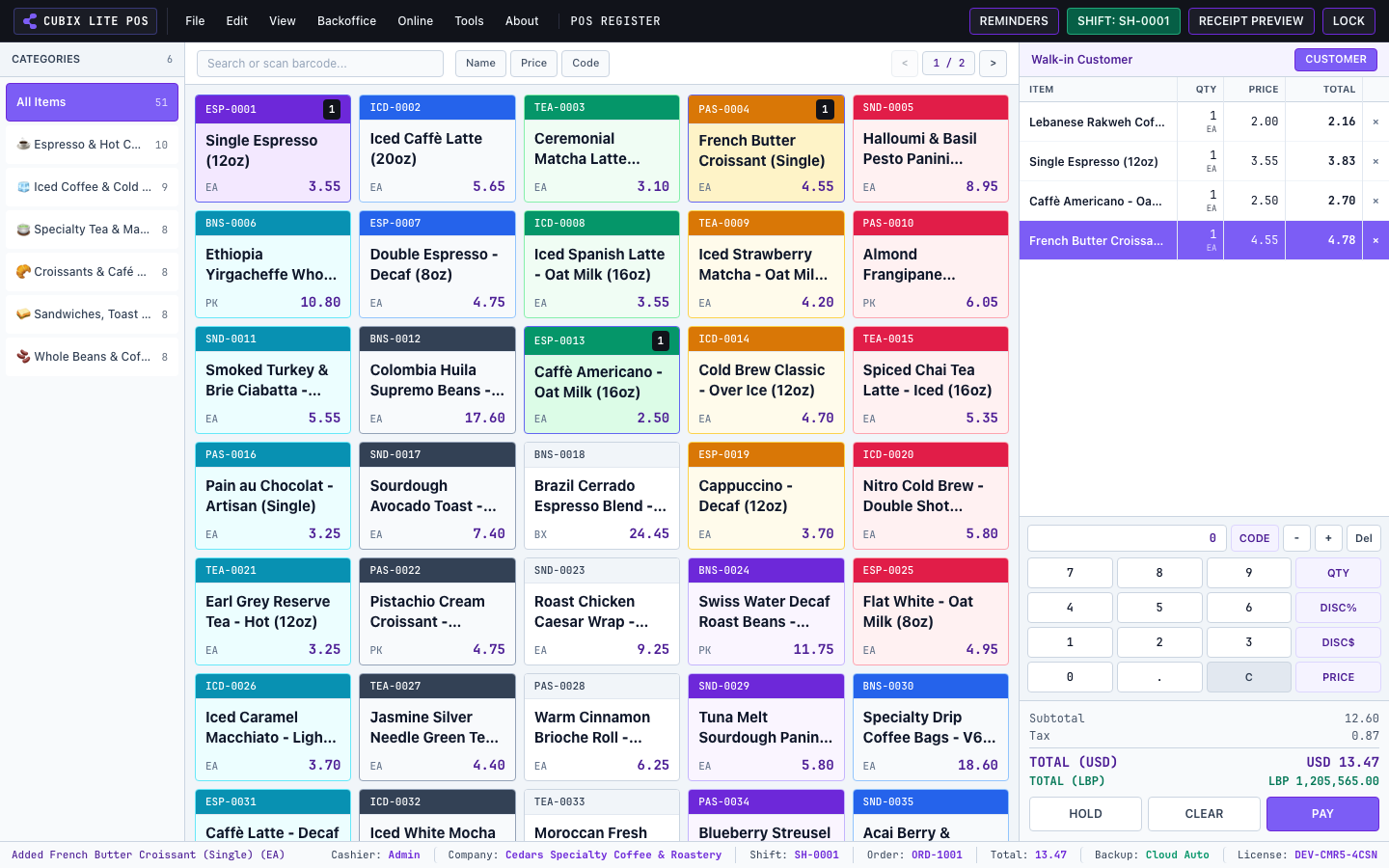
- Category Tabs: Filter items instantly by department (Hot Drinks, Cold Brews, Pastries, Whole Beans).
- Product Tiles: Visual buttons showing item image, name, price in dual currencies, and stock availability.
- Cart Actions: Tap to increment quantities, change item units (cup, box, kg), apply line discounts, or add notes.
2. Table Grid View Interface
Section titled “2. Table Grid View Interface”Press F4 to enter the Table Grid View:
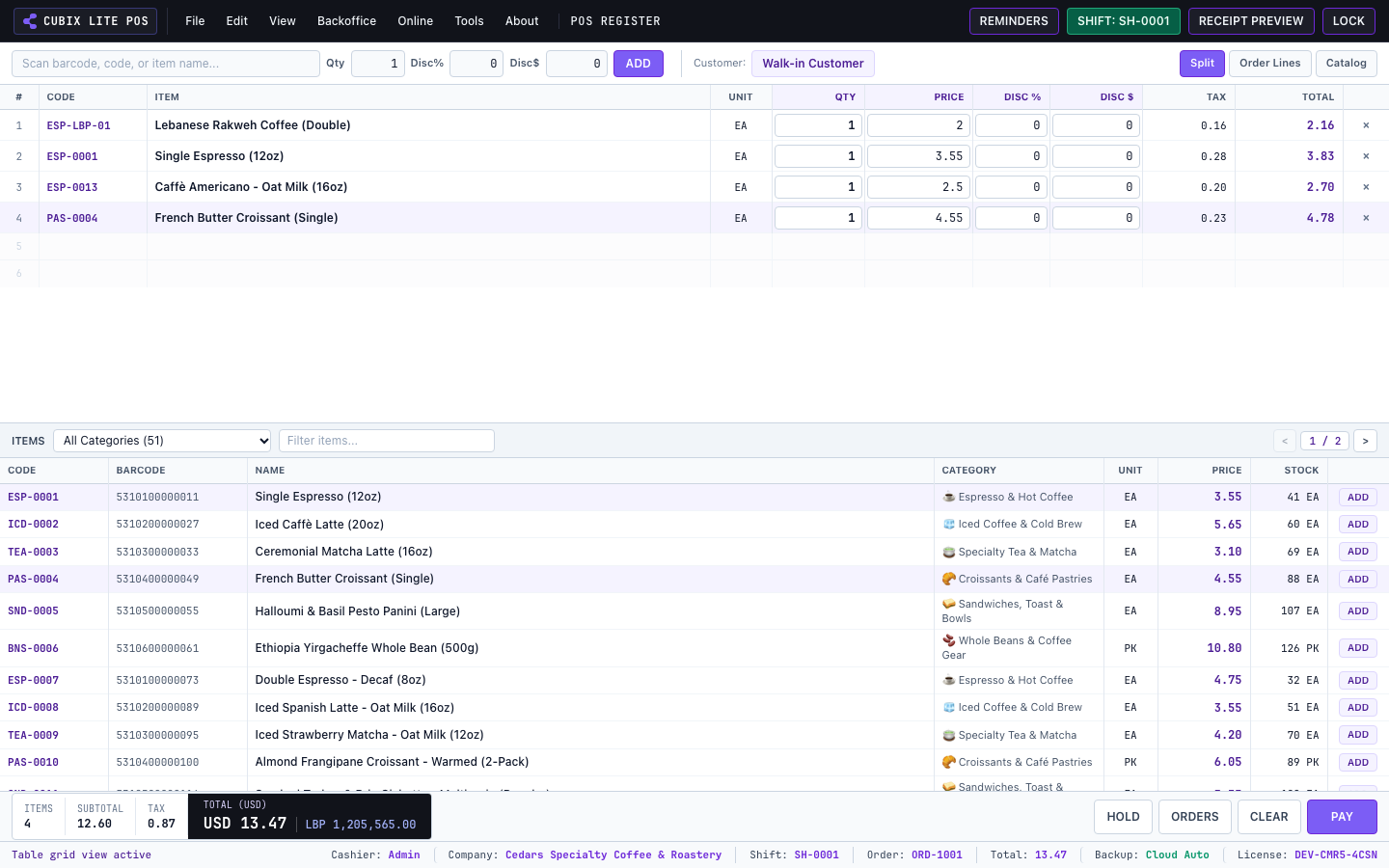
Designed for rapid keyboard and physical barcode scanner input:
- Type or scan barcodes directly into the search bar.
- Use arrow keys to adjust item quantities or delete items (Del).
3. Selecting Customers
Section titled “3. Selecting Customers”Press F7 to assign a customer to the current transaction:
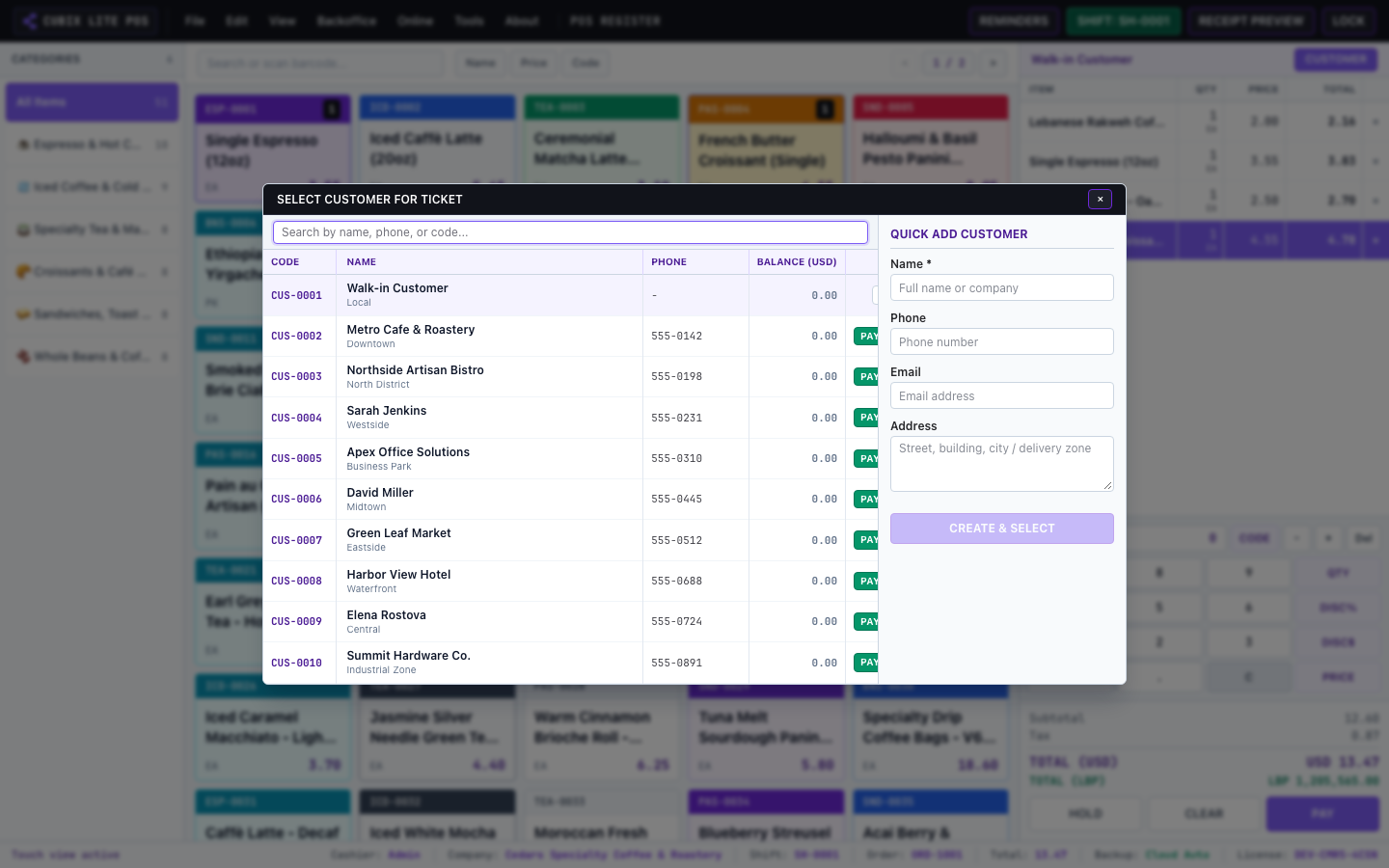
- Search by name, phone number, or company.
- View current ledger balance and credit limits before approving on-account transactions.
4. Multi-Currency Split Tender Checkout
Section titled “4. Multi-Currency Split Tender Checkout”Press F12 or click Pay to open the Tender window:
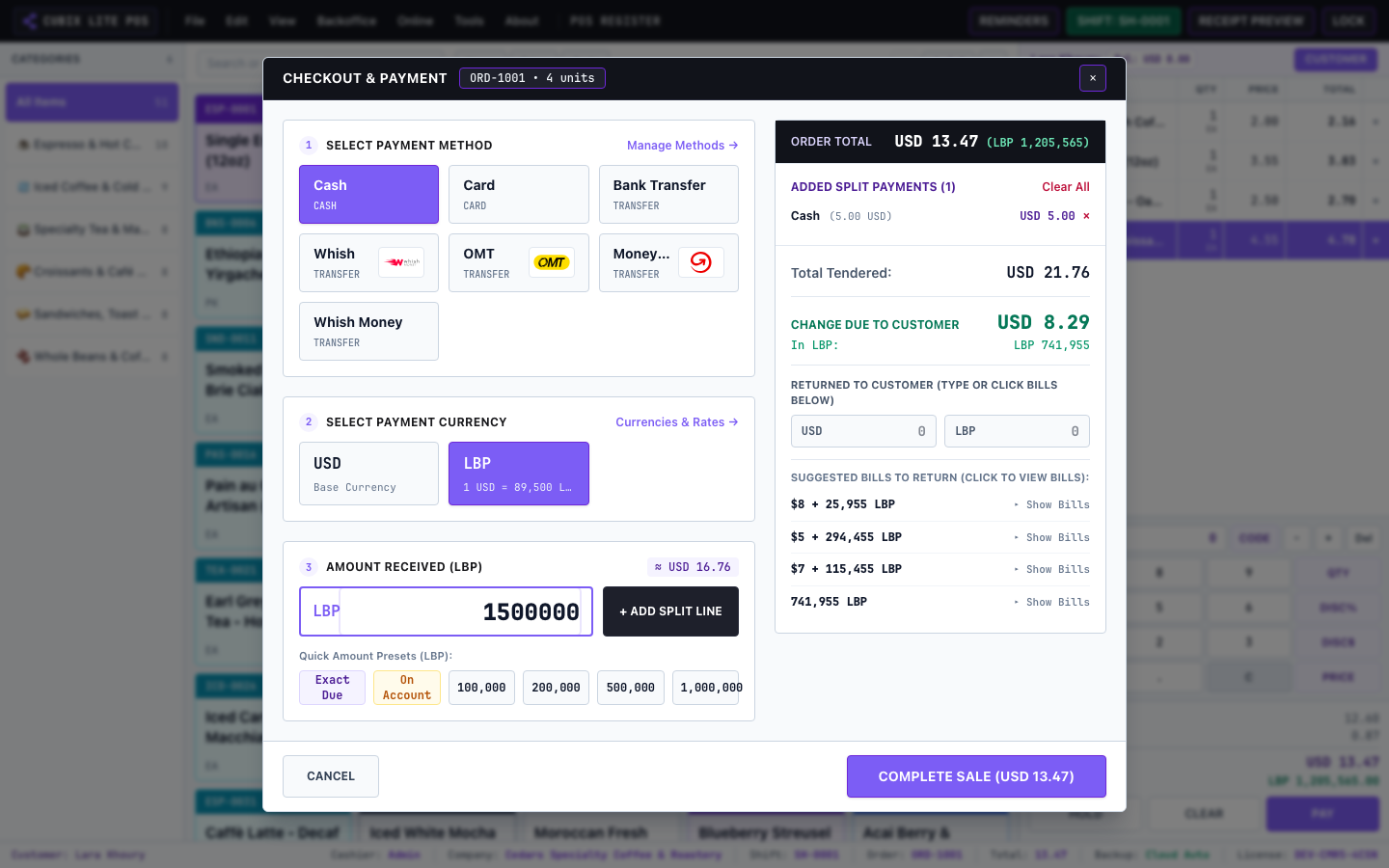
- Enter cash paid in USD and/or secondary currency (e.g. LBP).
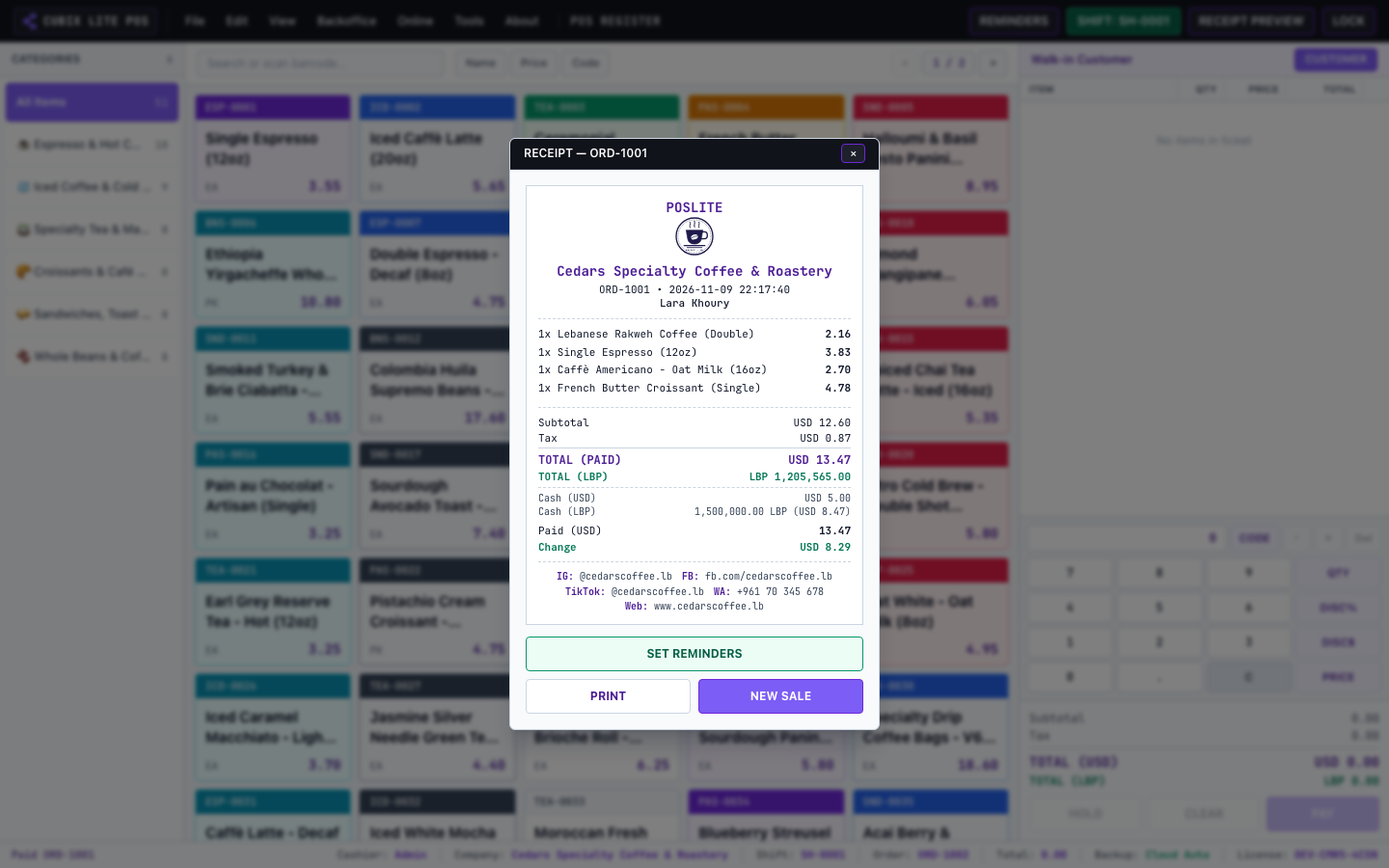
- The system automatically calculates remaining balance and returns exact change in either or both currencies!
- Complete the sale to print the thermal receipt instantly.