
Shift Management & Cash Till Reconciliation
To maintain cash accountability and prevent discrepancies, Cubix Lite POS requires an active shift before starting sales.
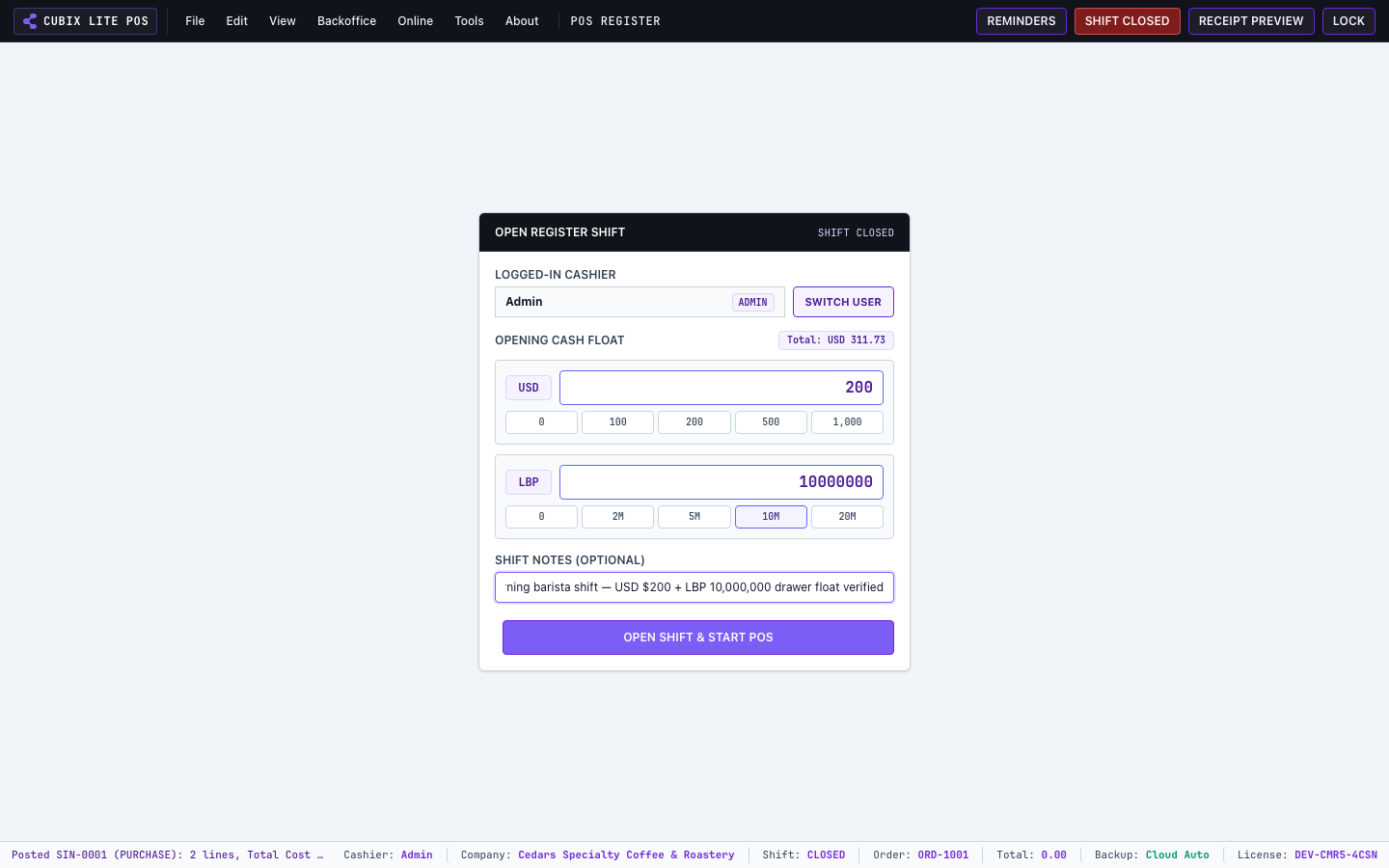
1. Opening a New Shift
Section titled “1. Opening a New Shift”- When starting your workday, the register presents the Open Shift dialog.
- Enter your Starting Float Cash (Opening Cash Drawer balance) for each currency.
- Add optional notes (e.g. “Morning Barista Shift”).
- Click Open Shift. The top header bar turns green displaying the active shift number (e.g.
Shift: 1).
2. Cash In & Cash Out (Petty Cash Movements)
Section titled “2. Cash In & Cash Out (Petty Cash Movements)”During an active shift, you can record intermediate cash adjustments without breaking sale totals:
- Cash In: Adding additional float or cash to the till.
- Cash Out / Petty Cash: Paying for daily expenses, supplier deliveries, or tips out of the till.
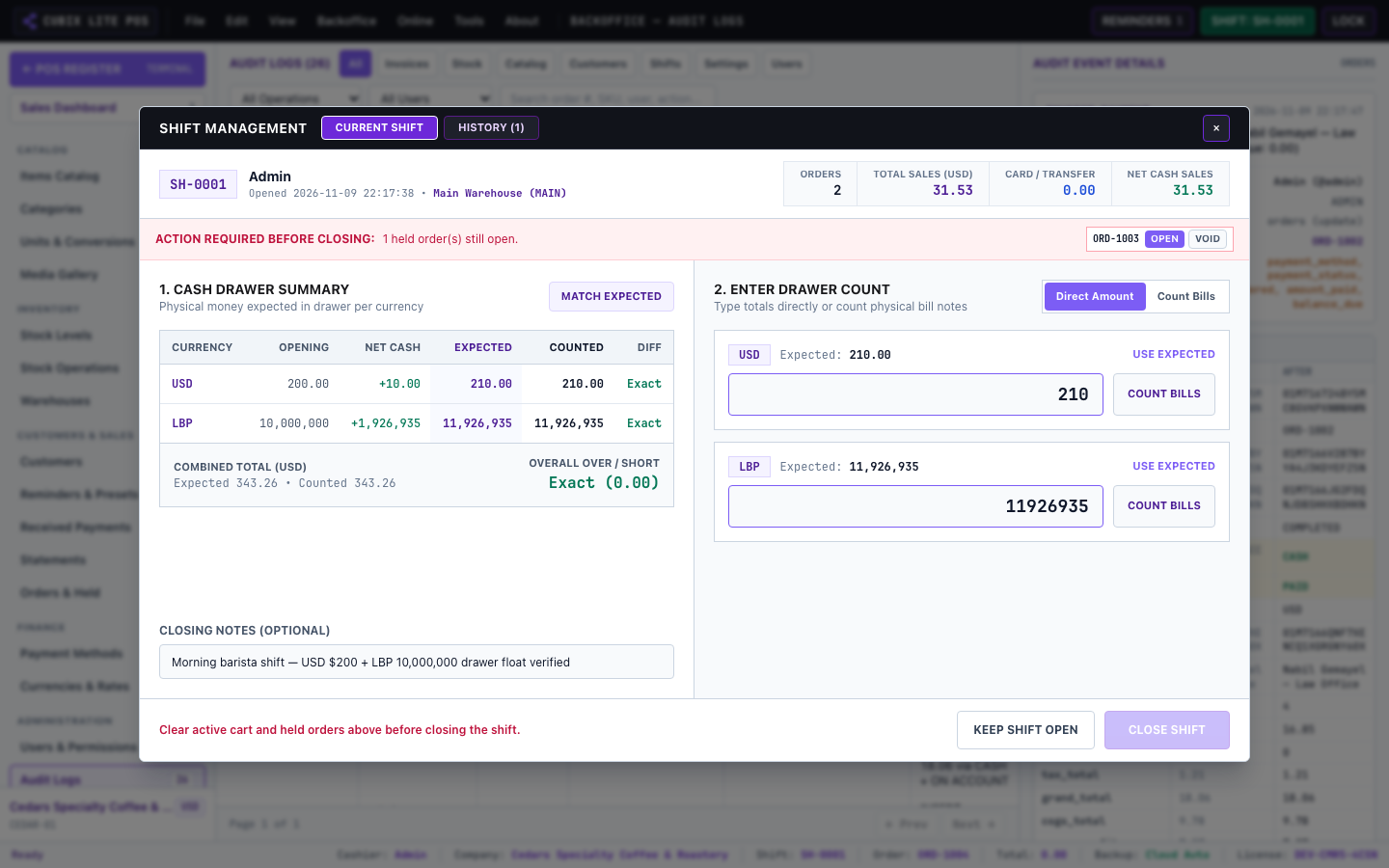
3. Closing Shift & Blind Cash Count (Z-Report)
Section titled “3. Closing Shift & Blind Cash Count (Z-Report)”At the end of the shift:
- Click the Shift badge in the top navigation bar or go to Shift Management.
- Enter the Actual Counted Cash in your drawer for each denomination or currency.
- The system compares the physical cash counted against system expected sales and calculates any overage or shortage.
- Finalize the shift to generate and print the official Z-Report (Shift Summary) with sales breakdowns, payments received, tax, and discount totals.