
Items Catalog & Multi-Unit Conversions
The Catalog management module allows you to organize thousands of products with custom images, barcodes, unit conversions, and pricing tiers.
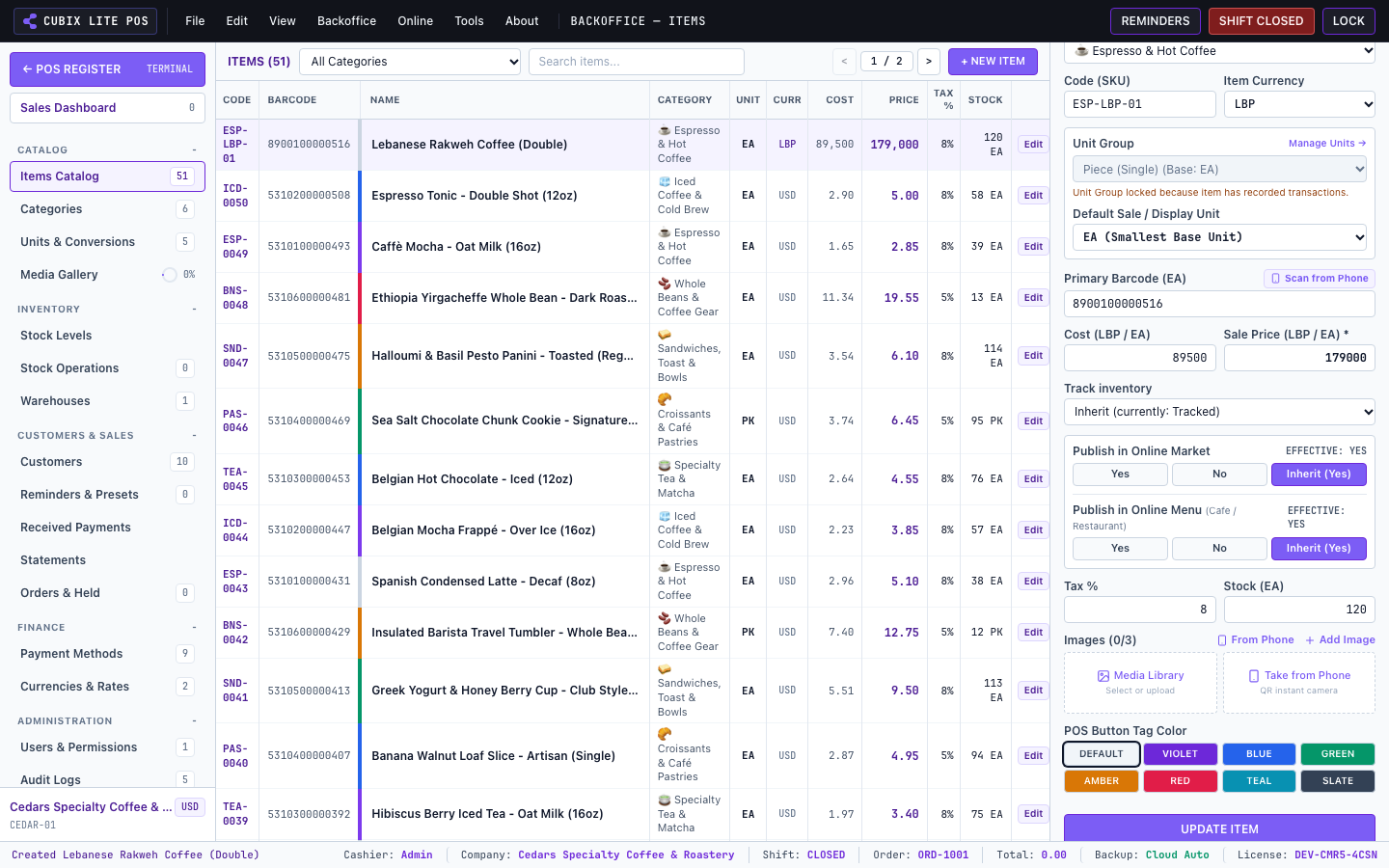
1. Creating and Editing Products
Section titled “1. Creating and Editing Products”Navigate to Backoffice > Items Catalog:
- Product Name & SKU/Barcode: Unique identifiers for fast lookup and scanning.
- Category & Sub-category: Used for sorting and color-coded touch tiles.
- Selling Price & Cost Price: Track gross profit margins per product.
- Tax Rate & Exemption: Configure standard or exempt VAT/Sales tax rates.
2. Multi-Unit Conversions
Section titled “2. Multi-Unit Conversions”For items sold in multiple units (e.g. Single Can vs Box of 24, or Grams vs Kilograms):
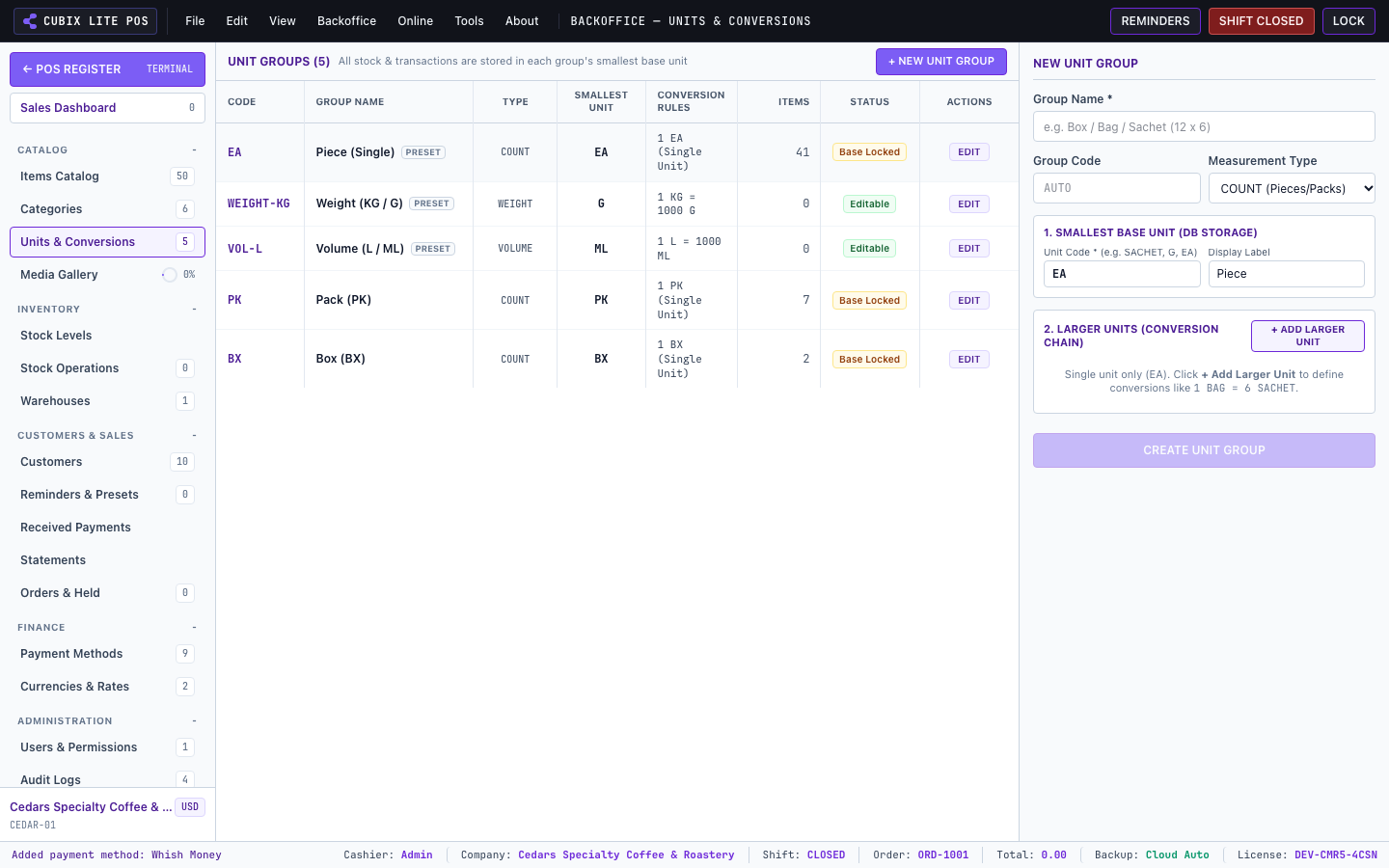
- Define a Base Unit (e.g.
1 Pieceor1 Gram). - Add Derived Packaging Units (e.g.
1 Box = 12 Pieces,1 Bag = 250 Grams). - At checkout, staff can switch units on the fly with automatic price and stock updates.