
Customer Reminders & Due Dates
Cubix Lite POS includes a built-in Reminders engine to keep customer relationships strong and prevent unpaid receivables.
1. Setting a Reminder After Sale
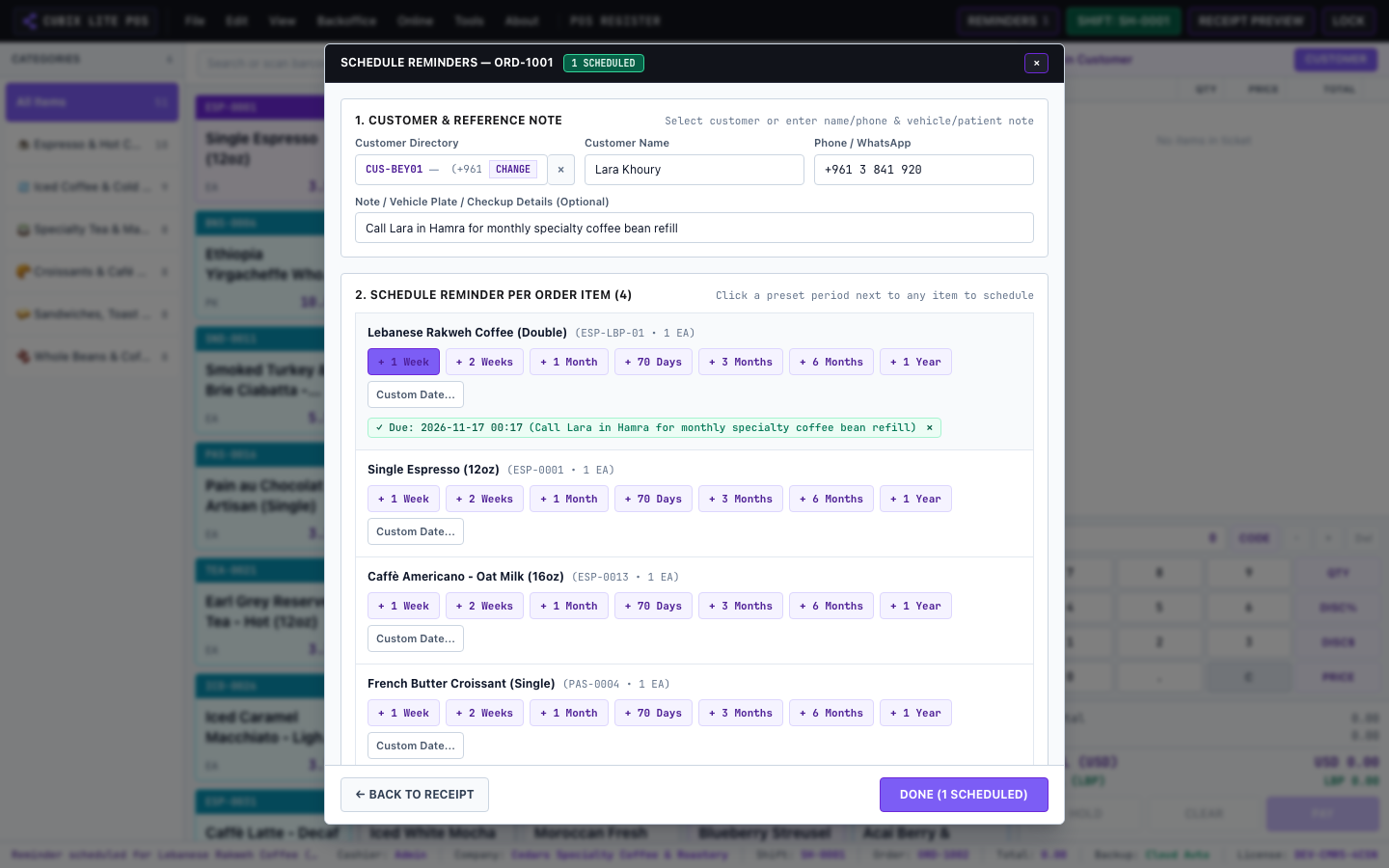
Section titled “1. Setting a Reminder After Sale”Immediately after completing an order, you can schedule follow-up actions:
- Balance Due Follow-up: Schedule an alert to collect payment on a specified date.
- Service / Warranty Check: Schedule customer notification for service check or subscription renewal.
- Custom Notes: Attach personalized notes visible only to staff.
2. Viewing and Managing Due Reminders
Section titled “2. Viewing and Managing Due Reminders”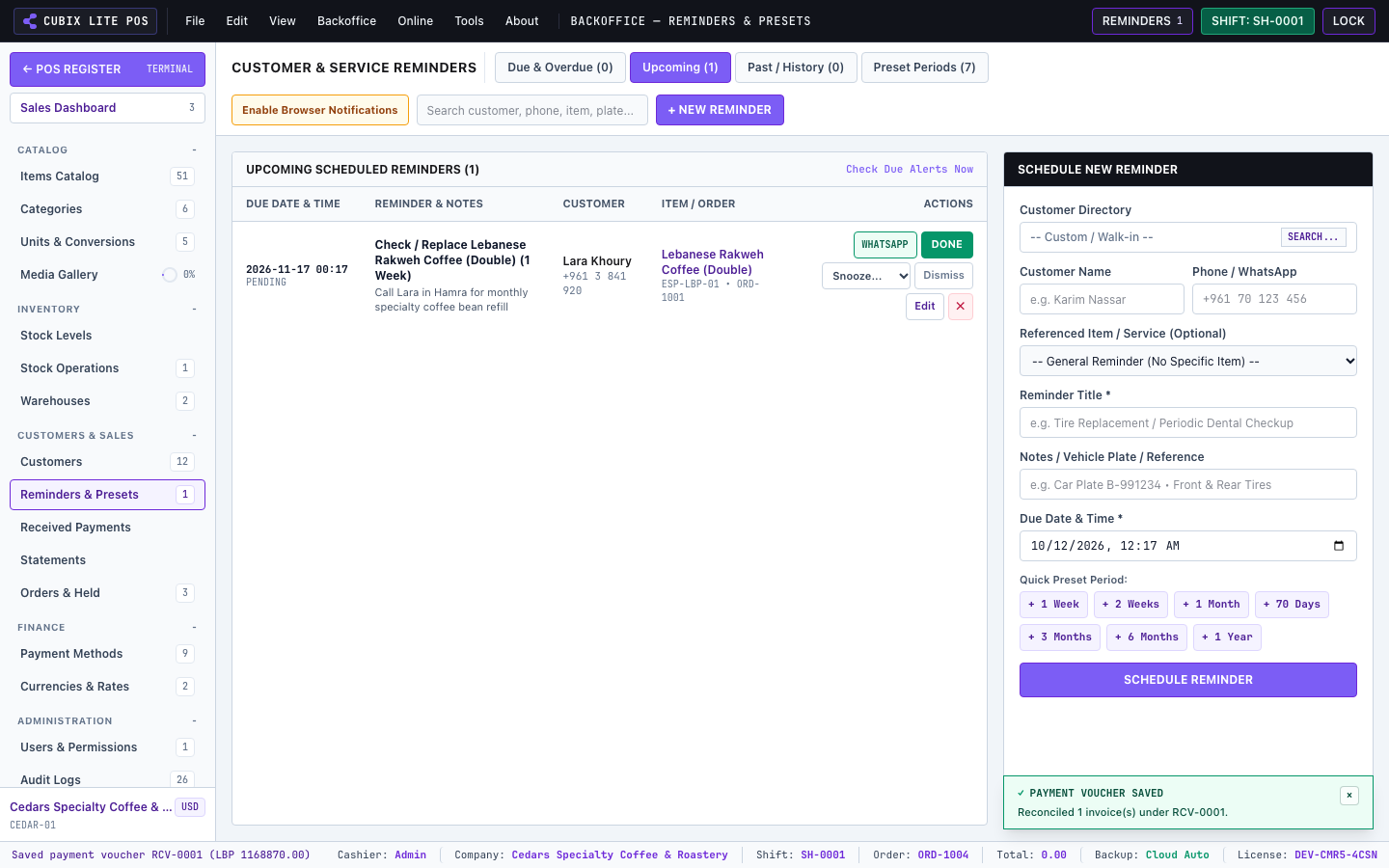
- When reminders are due, the top header displays an amber alert badge (
DUE). - Click the Reminders button on the top header to view, postpone, or mark them as completed.